Dash for Jamf Pro — your Jamf Pro fleet, in your pocket.
A native iPhone and iPad app for Jamf Pro admins. Check fleet health, look up any device, read a FileVault key or LAPS password, send MDM commands and see what expires next — without opening a browser. Now on the App Store.
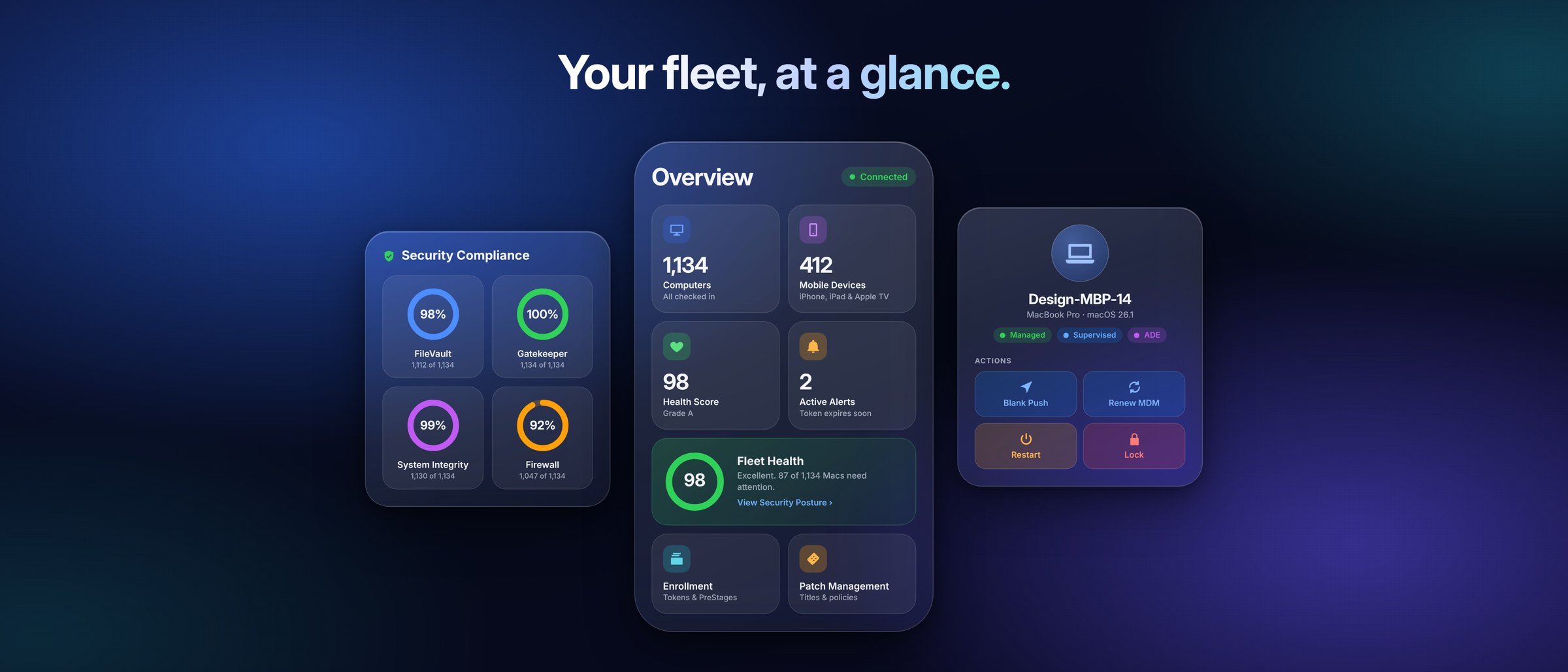
JamfDash started as a macOS app. Dash for Jamf Pro takes the same philosophy — immediate, clear, actionable — to iPhone and iPad. Instead of Jamf Pro's web interface on a small screen, you get a purpose-built native app with Liquid Glass, Dynamic Type and full VoiceOver support.
The app speaks only to the Jamf Platform API, using an API integration you create in Jamf Account. Your credentials stay in the iOS Keychain. No relay server, no account, no analytics, no third party in the middle. Try Demo Mode first if you want to look around without connecting.
Built for daily admin work, on the go.
- 01Fleet overview.Computer and mobile device counts, a 0–100 Fleet Health score for FileVault, Gatekeeper, SIP and Firewall, check-in activity and Jamf Pro alerts. Choose and order every card and tile yourself.
- 02Device lookup.Find any device by name, serial, user or scanned asset tag. Full inventory, MDM command history, declarative management status, software updates and policy logs.
- 03Recovery & access.FileVault recovery keys, Recovery Lock and LAPS passwords behind Face ID, shown for a minute and never stored.
- 04MDM commands.Blank push, renew MDM, restart, lock, erase, Lost Mode, rename, redeploy the framework and more — with a confirmation before anything destructive runs.
- 05Compliance & blueprints.mSCP benchmarks with the rules that pass, fail or haven't reported. Blueprints with their scope, steps and every setting they deploy.
- 06Your Jamf Pro library.Packages and scripts with the policies that use them, configuration profiles with their payloads and scope, smart groups, extension attributes and server settings.
- 07Expiry centre.Enrollment and Volume Purchasing tokens, certificates and push problems in one list, with an alert before anything expires.
- 08Patch & updates.Patch titles sorted by percentage patched, and Apple's latest macOS, iOS, iPadOS and visionOS releases from SOFA with security-update alerts.
Connected in a few minutes.
Sign in to account.jamf.com and create an API integration at the platform environment level. Give it read access to what you want to see, and device actions for the commands you want to send. Compliance benchmarks, blueprints and device groups only work at the environment level.
Copy the Client ID and Environment ID, generate a Client Secret, then tap Get Started in Dash and choose your region. Each screen tells you which permission it needs if one is missing.
Questions or problems? Email info@pixelmesh.be. Read the privacy policy.
Feature requests are welcome.
Dash grows with the people who use it every day. Tell me what would save you a trip to the browser, what's missing from the Platform API screens, or what could be clearer — every request is read.